Prompts & AI models
Write the questions you want to track, choose which AI models to run them against, and trigger runs manually or on a schedule.
When you add a prompt, you write the question text and choose which AI models to run it against. You can run the same prompt against several models at once to compare how each one answers.
Supported AI models
Signal currently supports 10 models across 7 providers.
- GPT-4o
- GPT-4o Mini
- Claude Sonnet 4
- Claude 3.5 Haiku
- Gemini 2.0 Flash
- Gemini 1.5 Pro
- Grok 2
- Mistral Large 3
- DeepSeek Chat
- Sonar Pro
Running prompts
Prompts run automatically once a day (scheduled overnight). You can also trigger a manual run at any time if you want fresh results immediately rather than waiting for the next scheduled run.
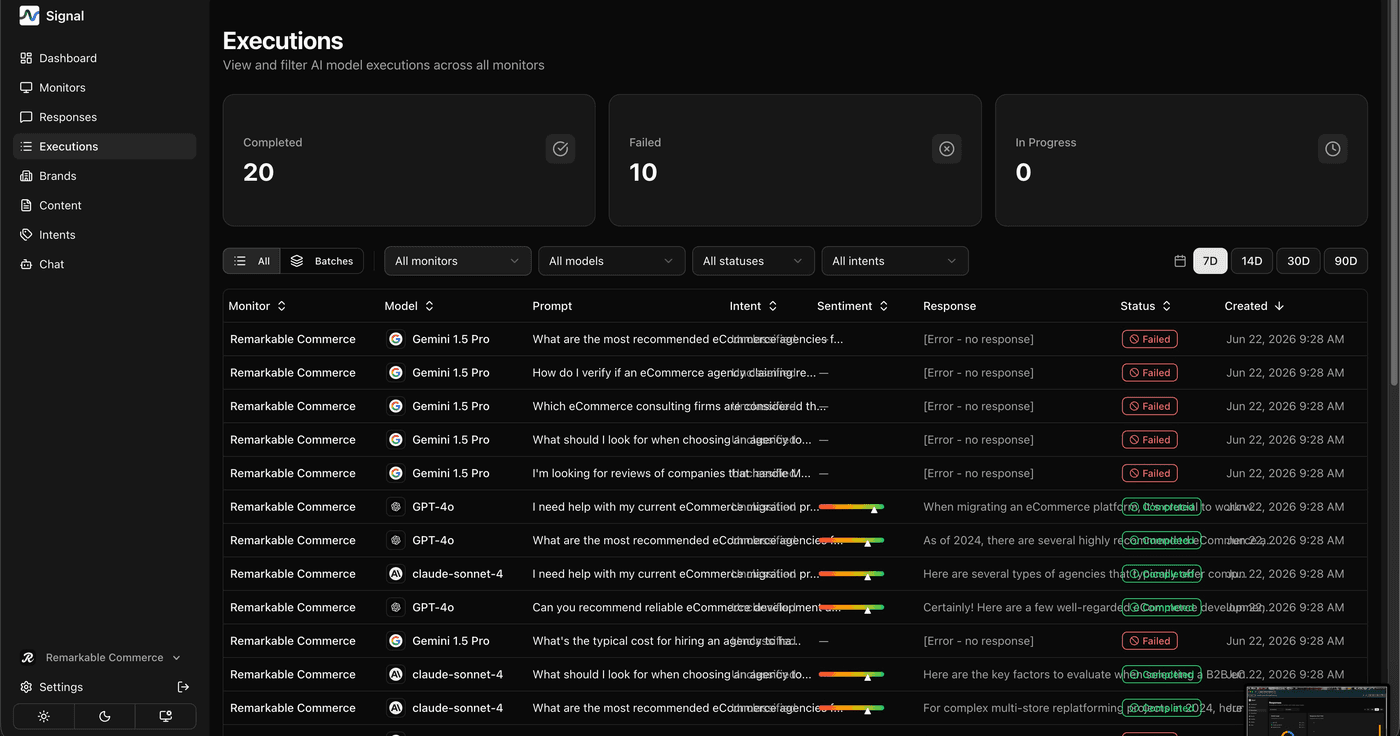
Not every execution succeeds — AI providers occasionally error out or time out. A failed execution shows [Error – no response] in the Executions log rather than silently disappearing, so you can always see what ran and what didn't.
How is this guide?
Last updated on